List your spaces where community groups can find them.
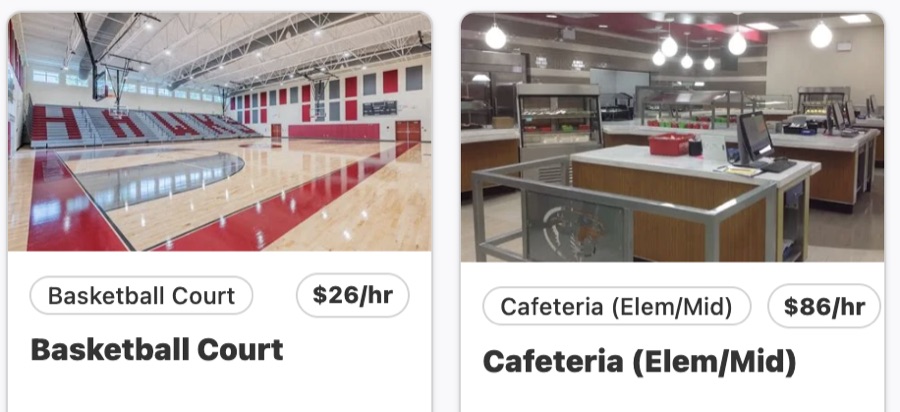
Publish your rental spaces with photos, rates, and facility details. Community groups can find a suitable gym, field, auditorium, cafeteria, or classroom and submit a request online.
Give community groups a clear way to request gyms, fields, classrooms, and other school spaces. Keep requests, document reviews, approvals, and payments together in one place.
Available for district pilots. Start with a walkthrough of your current rental process and see how Wise Old Owl would support your team.
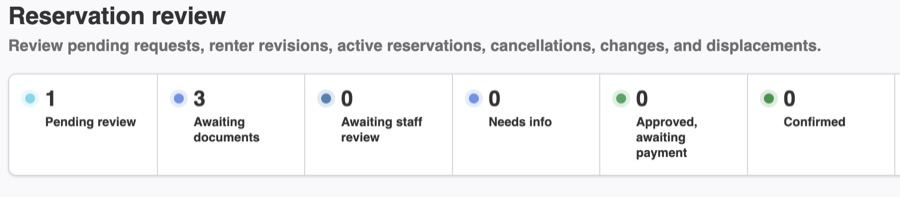
Example district dashboard. Sample data shown.
A request comes in by email. Someone checks the calendar, asks for the insurance certificate, waits, checks again, sends an invoice, and follows up on payment. Each step lives in a different inbox, form, or spreadsheet, and the person coordinating it carries the whole picture in their head.
Wise Old Owl keeps that chain in one record per request, so your staff can see what's done and what still needs attention.
Community groups request space online. Your staff get the information they need to decide.
Publish your rental spaces with photos, rates, and facility details. Community groups can find a suitable gym, field, auditorium, cafeteria, or classroom and submit a request online.
Your staff enter blackout dates for the whole district, one school, or a single room or field. Those dates stay off the rental calendar for school activities and other commitments.
Set the documents your district requires, such as insurance and photo ID, with requirements that can vary by renter type. School staff accept or reject each upload, and the review history stays with the reservation.
Review requests, ask for more information, and message renters. Your authorized staff give final approval once every required document has been accepted.
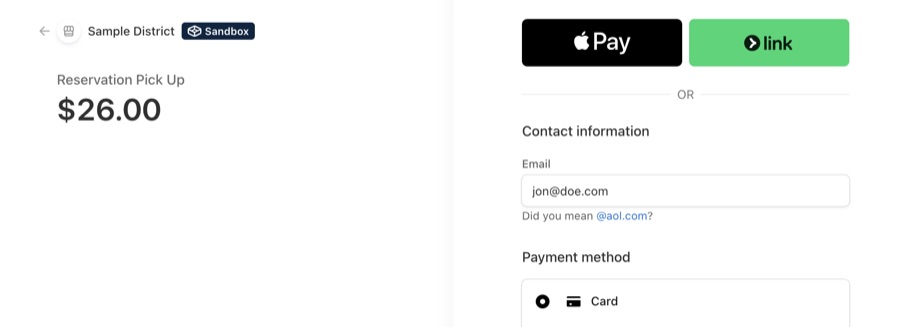
Renters pay online through Stripe after approval. Each payment record is linked to its reservation, so your staff can see what it covers.
Track rental revenue and usage across your district. Give the staff managing rentals and your business office a shared view of the program.
Staff enter blackout dates for a school or individual space, with conflicts involving approved rentals flagged for staff to resolve.
Payment records stay connected to reservations, with a shared view of rental revenue and usage across schools.
Staff retain final approval authority, with review history and rental activity available across schools.
The district pays 3% to Wise Old Owl plus 2.9% + $0.30 for Stripe payment processing. Fees are calculated on the checkout total. Use the full fee when planning your rental rates and expected proceeds.
| Wise Old Owl fee | $30.00 |
| Stripe processing | $29.30 |
| Total fees | $59.30 |
| Your district receives | $940.70 |
Share your facility details, rental rates, agreements, and approval process. We'll set up Wise Old Owl with your team, and you'll review and approve the setup before launch.
When your staff encounter a software issue, our team helps resolve it. Your district remains the point of contact for community renters and school-specific questions.
Approvals, documents, setup, IT review, accessibility, and payment policies.
Wise Old Owl supports the staff who manage facility rentals for K-12 districts, whether they work in a school office, facilities, operations, or the business office. It is designed to help teams bring a process managed through email, forms, and spreadsheets into one system.
Your district decides which staff have final approval authority. Every submitted document must be reviewed and accepted by school staff before the reservation can be approved.
Yes. Your district can require different documents for different renter types. Staff review each document, and the renter receives a message about its acceptance or rejection. Renters can replace rejected documents within the same reservation, which retains the review history.
Your staff enter blackout dates, which are dates when a space is unavailable for rental. These can apply to the entire district, one school, or an individual room or field.
The conflict is flagged for your staff to resolve. Your district handles the existing reservation, any signed agreement, and communication with the renter.
We work with your team to set up your facilities, rates, agreements, and approval process. Your district reviews the setup before launch. After launch, we help your staff with software issues; your district continues to handle renter questions.
We'll reply within three business days to schedule a time. On the walkthrough, we'll discuss how your district handles rentals today and show you how Wise Old Owl works. If you decide to explore a pilot, we'll agree together on what it will include before starting setup.
Yes. We'll discuss staff access, data handling, available exports, and your technical questionnaire with district IT staff before pilot setup. Read the IT & Data guide.
We're working toward WCAG 2.2 Level AA and will review your district's accessibility requirements before pilot setup. Read about our accessibility target.
Your district sets its own refund policy and decides how much to return to renters. Stripe processing fees and Wise Old Owl platform fees are not refunded. Read the refund and payment policies.
Yes. Wise Old Owl charges no fee on those payments. District staff keep payment records separately and manually block the relevant spaces and times when needed. Wise Old Owl does not track outside payments. Read about outside payment arrangements.
Tell us how your district manages facility rentals today. We'll walk through your process together, show you how Wise Old Owl works, and discuss whether a pilot would be useful for your team.